I would look at the tests. I would also start with
To get an overview of how the file storage canister is called. All calls are made here for file upload.
Make sure you look at how it uses agent-js. In agent-js look at the tests.
Then you can go to
and see how files ared being stored.
Tests and writing tests is the best way to understand something. Cheers
@josephgranata
I was trying to upgrade the code, but I’m facing issue.
My first priority is to use ic-stable-structures, but I’m getting some issue with that. I’ve asked about the issue to the author, waiting for his reply. If he takes longer to reply or I can’t find the solution. I’ll use ic-stable-memory library to accomplish the work.
@josephgranata thanks.
I also had started with ic-stable-structures. you check that on v2 branch.
Once I get the fix for the problem I’m facing, I’ll provide the code using ic-stable-structures
Dear @cyberowl and @pramitgaha first some good news, myself and my front-end dev partner have managed to use your Motoko code for our Electron application, it is a Note App that will have native support for the IC.
We are now able to save files in the local replica, and most of our main Electron app is working well with your Motoko code.
However we have two challenges:
First we have followed the pattern of your static example which uses Motoko. You use it in an unusual way, instead of using dfx and building, the Motoko files are already pre-compiled as WASM files as I show on the the attached image.
In your code at GitHub - cybrowl/static: ui showcasing file-upload scaling you used two wasm files to interact with your JavaScript app. We are doing the same and it is working. But how can we compile updated Motoko code and create the corresponding WASM? We need to update this code to add new features.
I’ve been looking at this for some days, and I have not been able to do it? How did you do it? How did you go from the Motoko code to the wasm?
That should build the wasm file with any changes that you add.
Yeah it is not possible to do every possible scenario so some modifications are prod needed per project. However, I am happy to guide you in the right direction.
@cyberowl yes indeed we know how to use your code, it works well in the local replica.
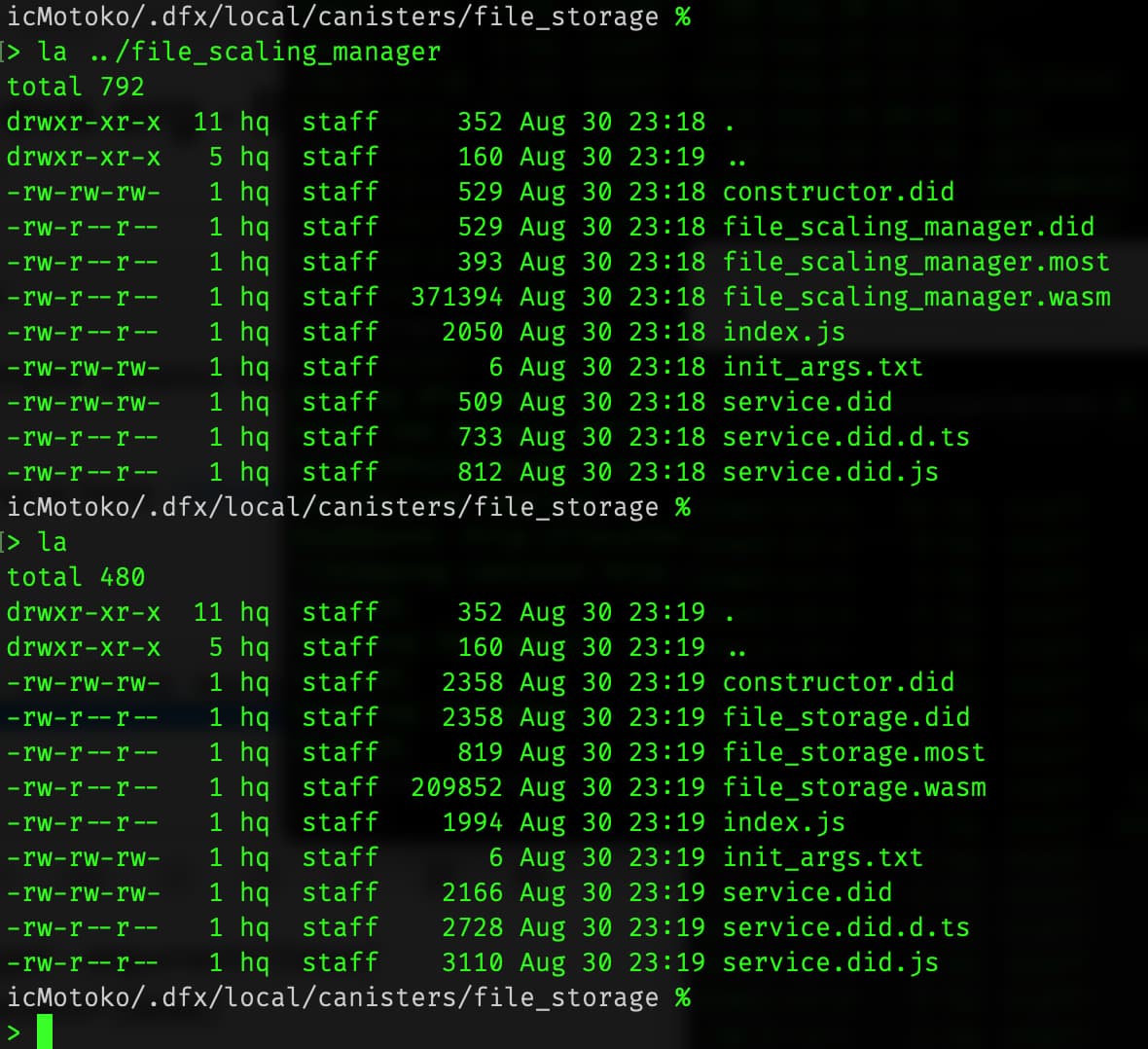
What we did not know is where do the .wasm files go inside the filesystem.
But a few minutes ago I just saw @h1teshtr1path1 explain that those .wasm files are inside the hidden .dfx directory, and indeed they are there!
Just one second question @cyberowl when we need to deploy these files to production on the IC what do we need to change besides the:
dfx deploy file_storage --argument=‘(true)’
Where can we change the canister address for storage so that it works with an IC canister not just in the local replica? I did notice this code for the local replica in the utils.mo file, on line 45:
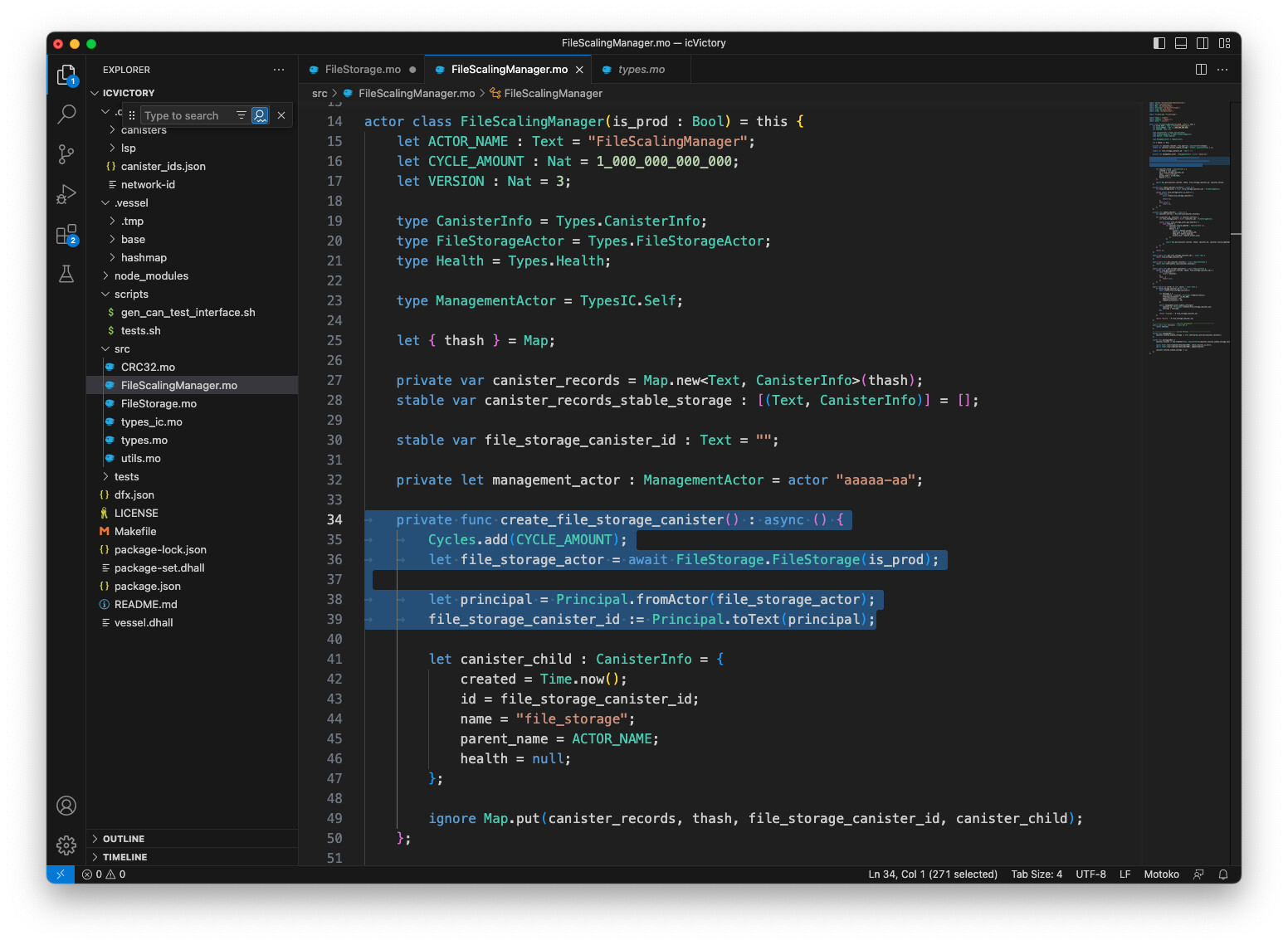
Related code is in the entry point to the actors on FileScalingManager and FileStorage; where could we load the IC canister address for storage space? Is it on line 34 to 39 of FileScalingManager.mo as shown? That would be the main section of the code we should expand to allow for InternetIdentity and paid canister storage correct? Is there any other major area of the code we should upgrade?
Thanks for any advice
Joseph
P.S. Attached is the code section I mentioned from FileScalingManager.mo
dfx deploy --network ic --wallet xx file_storage --argument=‘(true)’
Yeah when you pass true that changes the url to work in mainnet.
It all depends on what your strategy for payment is. If you are doing 1 canister per user then that would prob be the best place. You just have to make the function public and think about how you will handle payment. You can also extract some of that code to your main canister and do it there where you have the user info.
@pramitgaha it’s been a while, I know you were busy at university.
Any news about your Rust code for upload_file_rs in Github?
I remember your started a new v2 branch to use ic-stable-structures, is that done, could I use it or you are still working on it? I really like the fact that this code would make the pre-upgrade and post-upgrade no longer necessary!
@cyberowl Going back to the way the JavaScript code works in your static example, please explain to me how you build the .wasm files from the Motoko code so that they all work well.
Let me explain our challenge.
We are following a similar approach our Electron code resides under an app directory, and we have placed your .wasm motoko code under the icp directory as seen on this screenshot.
We placed the motoko code in the motoko directory, but are having some difficulties getting the compiled motoko, and the wasm files to work as you expect in your code. This is what I mean now in the /icp directory the src directory contains these files:
We know those files get created when we compile with dfx the Motoko code, however the dfx compilation creates many more files. We did the compilation with dfx following your instructions doing:
I have tried taking those files, and overwriting the ones under /icp but it does not work. There has to be something I am missing, because I know the code works.
Please help.
Can you please explain what should we do after using DFX to compile the motoko files, how do we put that code into the main app at /icp so that it works?
P.S. @cyberowl Perhaps we can take this out of this forum, I would appreciate it if you can DM me and we can discuss a way that you can explain to us how to make all this work. It is much harder than it looks. Thanks.